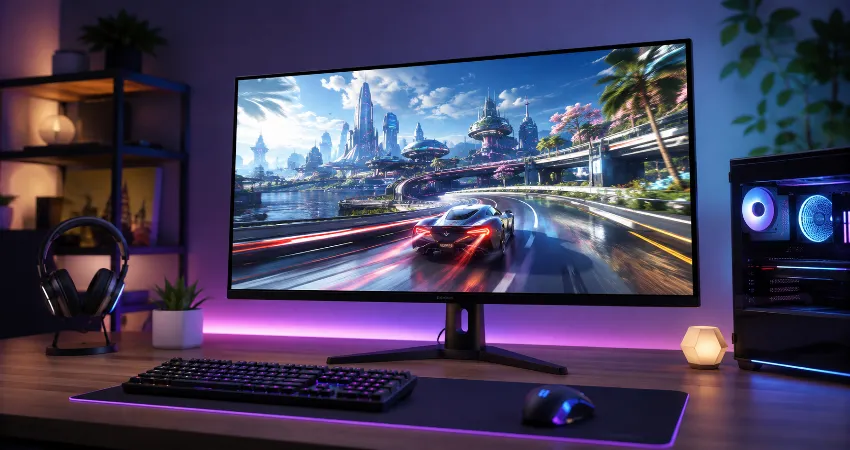
For years, I believed that improving gaming performance was mainly about upgrading the graphics card, processor, or other internal components. Like many PC gamers, I focused on hardware that produced higher frame rates and ignored one important part of the setup: the display. A powerful computer can deliver excellent performance, but the monitor is where every improvement becomes visible.
The biggest difference I experienced came from upgrading my gaming monitor. It was not the most expensive component in my setup, but it completely changed how games felt. The improvement was not only about sharper visuals or better colors. It was about responsiveness, comfort, and creating a smoother connection between my actions and what appeared on screen.
Why My Old Monitor Was Limiting My Gaming Experience?
Before upgrading, I used a standard monitor that worked well for everyday tasks but was not designed for modern gaming. It had acceptable image quality, but it lacked several features that make a major difference during long gaming sessions. The refresh rate was limited, motion clarity was average, and fast movements often appeared less smooth.
The problem was not obvious when I first started using it. Casual games and regular computer work looked fine. However, after spending more time with competitive and fast-paced titles, I noticed small issues. Quick camera movements felt less natural, and details during action scenes were harder to follow.
This experience taught me that a monitor is not just a window showing game graphics. It directly affects how players interact with digital environments. A better display can make existing hardware feel more capable.
The Gaming Monitor Upgrade That Changed Everything
The upgrade that created the biggest improvement was moving to a high refresh rate gaming monitor with better response time and adaptive synchronization support. These features worked together to create a much smoother experience compared with my previous display.
The higher refresh rate was the first thing I noticed. Instead of seeing motion that felt slightly delayed or blurred, movement became cleaner and more natural. Scrolling, aiming, and camera rotation all felt more responsive. Even simple desktop activities felt smoother.
The improvement was not just technical. It changed the overall feeling of using my computer. Games became more immersive because the display could better represent the performance my system was already producing.
Why Refresh Rate Matters More Than Many Gamers Expect?
Refresh rate describes how many times a monitor updates the image every second. A standard display may refresh at 60Hz, while gaming monitors commonly offer 120Hz, 144Hz, 165Hz, or higher options. A higher refresh rate allows motion to appear smoother because the screen updates more frequently.
Many people focus only on resolution when choosing a monitor, but refresh rate can have a bigger impact on the feeling of gameplay. A sharper image is valuable, but smoother movement changes the entire interaction experience.
For gamers who already have a computer capable of producing higher frame rates, upgrading from a basic monitor to a gaming-focused display can reveal performance that was previously hidden.
The Importance of Response Time and Motion Clarity
Another major improvement came from better response time. Response time measures how quickly pixels can change from one color to another. Faster response times help reduce unwanted visual effects such as ghosting, where moving objects leave a faint trail behind them.
During fast gameplay, clear motion helps players track objects more easily. This does not magically improve skill, but it creates a cleaner environment where reactions and decisions are easier to follow.
A good gaming monitor combines refresh rate, response time, and panel quality instead of relying on one specification alone.
How Panel Type Affects the Gaming Experience?
When researching monitors, I discovered that panel technology plays an important role. Different panel types offer different advantages. IPS panels are known for strong colors and viewing angles, while VA panels often provide deeper contrast. TN panels historically offered very fast response times, although modern alternatives have improved significantly.
For most gamers today, a quality IPS gaming monitor provides a strong balance between speed, color accuracy, and image quality. However, the best choice depends on the type of games played and personal preferences.
The Difference a Better Monitor Made Outside Gaming
One unexpected benefit of the upgrade was improved productivity. Text looked clearer, images appeared more accurate, and spending several hours in front of the screen became more comfortable. A good monitor improves the entire computer experience, not only gaming.
This is an important consideration because many people spend more time working, browsing, or creating content than actually playing games. A quality display becomes a daily-use investment.
What I Learned Before Choosing a Gaming Monitor?
The biggest lesson from my upgrade process was that buying the highest specification is not always the smartest choice. A monitor should match the capabilities of the computer and the needs of the user.
Important factors include screen size, resolution, refresh rate, connectivity options, ergonomic adjustment, and price. A balanced monitor often provides a better experience than an expensive model with features that will never be fully used.
How to Choose the Right Gaming Monitor Upgrade?
Before purchasing a new display, consider your graphics hardware and the games you normally play. A high-resolution monitor requires more graphics power, while a high refresh rate display requires a system capable of producing enough frames to take advantage of it.
Also consider comfort features such as height adjustment, screen size, and eye-friendly technologies. A monitor is something you look at for many hours, so comfort matters as much as performance.
FAQs About Gaming Monitor Upgrades
1. Does upgrading a gaming monitor improve actual gaming performance?
A gaming monitor does not increase your computer’s processing power, but it can improve how smoothly and clearly you experience that performance. A higher refresh rate, faster response time, and better motion clarity can make gameplay feel more responsive and enjoyable.
2. Is a high refresh rate monitor worth buying?
For many gamers, a high refresh rate monitor is one of the most noticeable upgrades they can make. The smoother movement is especially visible in fast-paced games, but even regular computer use can feel more fluid.
3. Should I upgrade my monitor before my graphics card?
The answer depends on your current setup. If your graphics card is already producing enough performance but your monitor cannot display it properly, upgrading the monitor may provide a bigger visible improvement than another hardware upgrade.
4. What refresh rate is good for gaming?
A 144Hz or higher monitor is a popular choice because it provides a significant improvement over traditional 60Hz displays while remaining practical for many gaming systems. The ideal choice depends on your hardware and budget.
5. Does monitor size affect gaming experience?
Monitor size affects immersion, viewing distance, and comfort. Larger screens can create a more engaging experience, but the ideal size depends on desk space and how close you sit to the display.
6. Is resolution more important than refresh rate?
Neither is universally more important. Resolution improves image detail, while refresh rate improves smoothness. The better choice depends on whether you prefer visual quality, responsive gameplay, or a balance between both.
7. Are gaming monitors useful for work and productivity?
Yes. Many gaming monitors provide excellent image quality, large screen sizes, and smooth performance that can benefit office work, editing, browsing, and creative tasks.
8. What features should I check before buying a gaming monitor?
Important features include refresh rate, response time, resolution, panel type, connectivity, ergonomic design, and compatibility with your computer hardware. Looking at the complete package helps avoid choosing based on only one specification.
9. Can a better monitor reduce eye strain?
A quality monitor with good brightness control, flicker reduction features, and comfortable viewing settings may help reduce discomfort during long sessions. Proper lighting and regular breaks are also important.
10. What was the biggest improvement after your monitor upgrade?
The biggest improvement was the overall feeling of smoothness and responsiveness. Games looked better, movements felt more natural, and everyday computer use became more enjoyable. The upgrade improved the entire experience rather than only one part of gaming.
Conclusion
My gaming monitor upgrade became one of the most meaningful improvements I made to my setup because it changed how I experienced everything on screen. While internal hardware upgrades are important, the monitor is the final connection between technology and the user.
A well-chosen gaming monitor can improve smoothness, clarity, comfort, and everyday productivity. For many gamers, upgrading the display may be the missing step that finally allows their existing system to deliver its full potential.