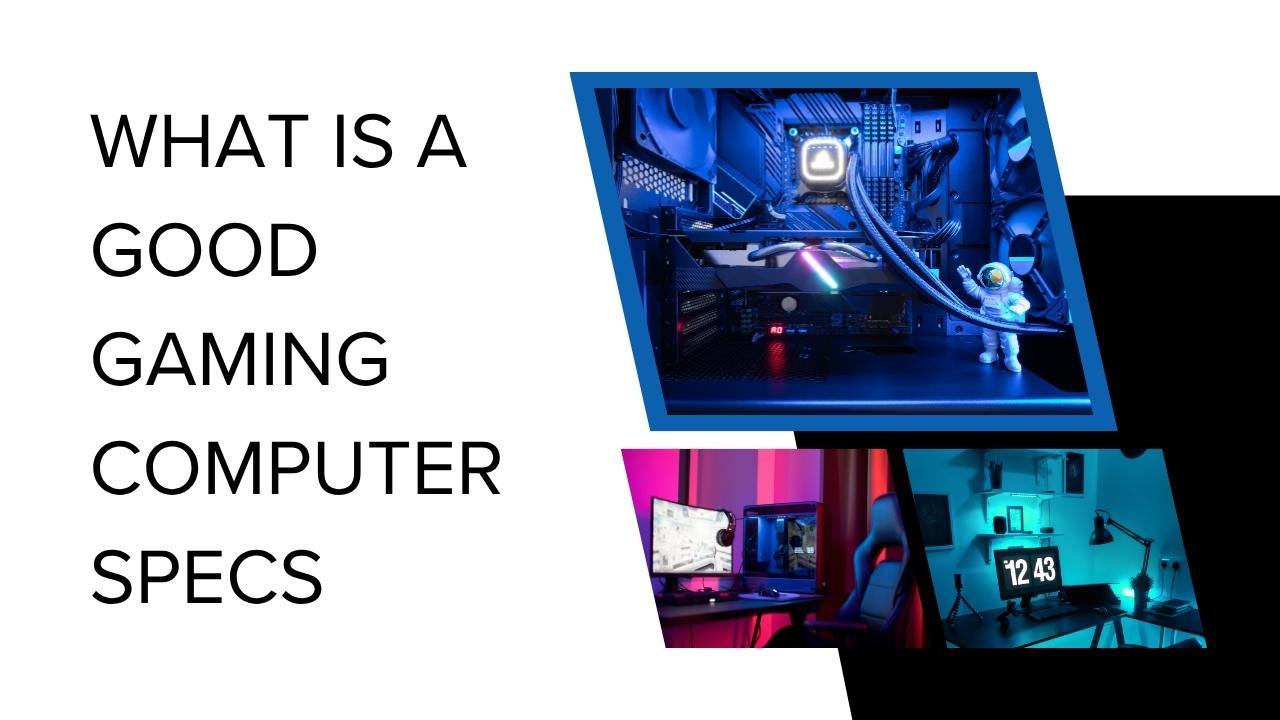
Choosing a gaming computer in 2026 is about more than buying the most expensive processor or graphics card. The best gaming PC specs depend on the games you play, your monitor resolution, the frame rate you want, and how much you can afford to spend. A balanced computer can provide a smooth gaming experience without wasting money on components that offer little practical benefit.
For many gamers, a modern six-core processor, a capable dedicated graphics card, 16GB to 32GB of RAM, and an NVMe solid-state drive provide a sensible starting point. Players targeting demanding games at 1440p or 4K may need a stronger GPU, more graphics memory, and a better power supply.
This guide explains what makes a good gaming computer in 2026, which specifications matter most, and how to choose hardware for different budgets and gaming goals.
1. What Are the Most Important Gaming PC Specs in 2026?
Four components have a particularly important influence on gaming performance: the graphics card, processor, RAM, and storage. Your power supply, cooling system, motherboard, and monitor also affect the overall quality and reliability of the setup.
The graphics card, or GPU, usually deserves the largest share of a gaming desktop budget because it handles most graphics rendering. The processor, or CPU, runs game logic, physics, artificial intelligence, and other tasks. RAM provides temporary working memory, while storage holds the operating system, games, and other files.
A balanced PC is important. Pairing an extremely powerful GPU with an outdated processor can limit performance in CPU-heavy games. Similarly, a fast processor cannot compensate for a graphics card that struggles with your chosen resolution.
Before buying anything, decide whether you want to play at 1080p, 1440p, or 4K. Also consider whether you prioritize high frame rates for competitive gaming or detailed graphics for visually demanding single-player games.
2. Best CPU Specs for a Gaming PC
The CPU affects how quickly your computer processes game instructions and prepares frames for the graphics card. It can be particularly important in strategy games, simulation titles, large multiplayer matches, and competitive games where high frame rates are desirable.
For a budget or mainstream gaming PC, a modern six-core processor from a current AMD Ryzen or Intel Core family can be a sensible starting point. Many gamers do not need a flagship CPU to enjoy smooth 1080p gameplay.
For a higher-performance system, a strong six-core or eight-core processor may provide a better balance, particularly if you play CPU-intensive games, stream, record gameplay, or run several applications at once. High-end processors can be useful for demanding workloads, but extra cores do not automatically translate into proportionally higher gaming performance.
When comparing processors, consider gaming benchmarks, supported memory, motherboard compatibility, power consumption, and upgrade options. Do not judge a CPU solely by its clock speed or core count.
The best processor is one that matches your GPU and gaming goals without consuming so much of your budget that you have to compromise on graphics performance.
3. What GPU Do You Need for Gaming in 2026?
The graphics card is often the most influential component when choosing gaming PC specifications. It determines how effectively your computer can render detailed environments, apply visual effects, and maintain frame rates at your chosen resolution.
Gaming at 1080p
For 1080p gaming, a current entry-level or midrange dedicated GPU can be sufficient for many games. Products in the NVIDIA GeForce RTX 5060 or AMD Radeon RX 9060 XT class are examples worth comparing, depending on local pricing, available models, and the performance required by your games.
Competitive titles may run well on less expensive hardware, while demanding new releases can require lower graphics settings to maintain smooth performance.
Gaming at 1440p
A 1440p monitor displays more pixels than a 1080p screen, increasing the graphics workload. A stronger midrange GPU is therefore a sensible target.
Graphics cards in the RTX 5070 or Radeon RX 9070 class may be worth considering for this category, but compare independent benchmarks and the specific model’s memory capacity before deciding. Performance varies significantly between games and graphics settings.
Gaming at 4K
4K gaming requires substantially more graphics processing power. A high-end GPU, such as an RTX 5080-class or another card with comparable real-world performance, may be appropriate for demanding games at high settings.
The most powerful graphics cards are expensive, however, and 4K performance depends on whether you enable ray tracing, use upscaling, or choose maximum texture settings.
Do not buy a GPU based only on its model name. Check current benchmarks at your target resolution, the amount of VRAM, power requirements, and whether the card fits your case.
4. How Much RAM Is Good for a Gaming Computer?
RAM helps your computer keep game data and active applications readily available. Insufficient memory can contribute to stuttering, slowdowns, and poor multitasking performance.
In 2026, 16GB of RAM is a reasonable starting point for budget gaming, while 32GB is a sensible target for many new midrange and high-performance desktop builds. Players who stream, edit videos, use heavy modifications, or run several demanding applications may benefit from additional memory.
The amount you need depends on the games you play and what runs in the background. A game that works comfortably with 16GB may behave differently when you also have a browser with numerous tabs, voice chat, recording software, and other applications open.
For a new desktop build, check whether your chosen CPU and motherboard support DDR4 or DDR5 memory. These memory types are not interchangeable, so you must purchase a compatible kit.
Two memory modules can enable dual-channel operation on supported platforms, provided they are installed in the recommended motherboard slots. Always check the motherboard manual.
Before upgrading, monitor memory usage during your usual gaming sessions. This helps determine whether additional RAM is likely to solve an actual problem rather than simply increasing the specification on paper.
5. SSD Storage: How Much Space Do You Need?
A solid-state drive improves system responsiveness and generally reduces game loading times compared with a traditional mechanical hard drive. An NVMe SSD is a common choice for modern gaming desktops because it offers high transfer speeds and uses a compact motherboard connection.
For a new gaming PC, a 1TB NVMe SSD is a practical starting point for many users. A 512GB drive may work for a limited game library, but large modern games can consume substantial storage. A 2TB SSD may be more convenient if you install many games or record gameplay.
Storage speed does not automatically increase average FPS when the CPU or GPU is the limiting factor. However, faster storage can reduce waiting times and may help with asset loading in games that benefit from it.
Check the number of M.2 slots on your motherboard, the SSD’s interface, and available space before purchasing an upgrade. Keep enough free storage for game updates and temporary files.
If your computer already has suitable hardware but games still perform poorly, investigate the cause before replacing components. This guide explains how to optimize your computer for gaming by reviewing graphics settings, background applications, drivers, temperatures, memory usage, and storage.
6. Recommended Gaming PC Specs by Resolution
The following table provides practical starting points rather than guaranteed performance levels. The actual frame rate depends on the game, graphics settings, drivers, and specific hardware configuration.
| Component | Budget 1080p | Mainstream 1440p | High-End 4K |
|---|---|---|---|
| CPU | Modern 6-core Ryzen 5 or Core i5 class | Strong 6- or 8-core Ryzen 5/7 or Core 5/7 class | High-performance gaming CPU |
| GPU | Entry-level or midrange dedicated GPU | Strong midrange GPU | High-end GPU |
| RAM | 16GB; 32GB preferred for a new build if affordable | 32GB DDR5 | 32GB; 64GB for demanding multitasking |
| Storage | 1TB NVMe SSD recommended | 1TB–2TB NVMe SSD | 2TB NVMe SSD is a useful target |
| PSU | Quality unit matched to GPU requirements | Often around 650–750W, depending on components | May require 850W or more, depending on GPU |
| Main goal | Smooth 1080p gameplay | Detailed 1440p visuals and strong frame rates | High-resolution gaming |
These are broad planning guidelines, not universal requirements. Always check the graphics card manufacturer’s recommended power supply and the minimum or recommended system requirements of the games you intend to play.
7. Power Supply and Cooling: Components You Should Not Ignore
A gaming computer needs a reliable power supply unit, or PSU, that can deliver enough power to the CPU, GPU, and other components. Choosing an unsuitable PSU can cause instability and create safety risks.
Check the GPU manufacturer’s power recommendation, the connectors required, and the total power consumption of your planned build. Leave appropriate headroom rather than selecting a unit that operates too close to its limit.
A higher wattage number alone does not guarantee quality. Choose a reputable PSU with appropriate protections, suitable efficiency certification, and a good warranty.
Cooling matters because processors and graphics cards generate heat under load. If temperatures become too high, some components reduce performance to protect themselves.
A well-designed air cooler is enough for many budget and midrange gaming PCs. Higher-end processors may benefit from stronger cooling depending on their power consumption and the case design. Liquid cooling is an option, not an automatic requirement for every gaming PC.
Make sure the case has adequate ventilation, compatible fan mounts, and sufficient room for your GPU and CPU cooler. Clean dust filters regularly and monitor temperatures if performance declines during long gaming sessions.
8. Choose a Gaming Monitor That Matches Your PC
Your monitor determines which parts of your PC’s performance you can actually see. A computer capable of producing high frame rates may not deliver the full benefit if your display has a low refresh rate.
For budget gaming, a 1080p monitor can be a sensible choice. A 1440p display provides a sharper image and can offer a strong balance between visual quality and performance. A 4K monitor makes sense when your GPU can handle the resolution in the games you play.
Refresh rate also matters. A 144Hz or 165Hz monitor can provide smoother motion than a 60Hz display when the system produces enough frames. Competitive gamers may consider higher refresh rates, but they should also account for the GPU power needed to maintain high FPS.
Check the monitor’s resolution, refresh rate, adaptive-sync support, response-time behavior, and available ports. Avoid buying a premium display if the PC cannot deliver a satisfactory experience at its native resolution.
A balanced PC and monitor combination usually offers better value than overspending on one component while neglecting the other.
9. How Much Should You Spend on a Gaming PC in 2026?
Your budget depends on regional prices, whether you are buying a prebuilt system or assembling one, and whether you already own a monitor and peripherals.
A budget build should prioritize a capable GPU, a suitable modern CPU, enough RAM, and reliable storage. You can often save money by choosing a practical case, standard air cooling, and a motherboard with the features you actually need.
A midrange build can allocate more money to graphics performance, 32GB of RAM, and additional SSD capacity. This is a sensible direction for gamers who want to enjoy 1440p gaming without paying flagship prices.
A high-end build costs considerably more because of the GPU, cooling, power delivery, and supporting components. It is most appropriate for users who specifically want demanding 4K performance, advanced ray tracing, or high frame rates at high resolutions.
Compare complete systems at current prices rather than relying on old price estimates. Include the operating system, monitor, keyboard, mouse, and other required accessories when calculating your total budget.
10. Common Mistakes When Choosing Gaming PC Specs
One common mistake is spending too much on the CPU while choosing a weak graphics card. For many games, a balanced GPU upgrade produces a more meaningful improvement than buying a much more expensive processor.
Another mistake is treating 16GB of RAM as sufficient for every possible workload. It can be adequate for many games, but 32GB gives more flexibility for demanding titles and multitasking.
Do not overlook storage capacity, PSU quality, or case airflow. These parts may attract less attention than the GPU, but they affect convenience, reliability, and upgrade flexibility.
Finally, avoid choosing hardware based solely on advertised FPS claims. Frame rates differ by game, resolution, settings, and test conditions. Look for benchmarks that match the performance target you actually care about.
Frequently Asked Questions
What are good gaming PC specs in 2026?
For many gamers, a modern six-core CPU, a suitable dedicated GPU, 16GB to 32GB of RAM, and a 1TB NVMe SSD provide a practical starting point. More demanding 1440p and 4K gaming usually require a stronger GPU.
Is 16GB RAM enough for gaming in 2026?
It can be enough for many games, especially on a budget system. However, 32GB is a useful target for a new midrange build, heavy multitasking, and some demanding games.
Is a GPU more important than a CPU for gaming?
The GPU is often the most important component for graphics-heavy games, particularly at 1440p and 4K. At lower resolutions and high frame rates, the CPU can become a more significant limitation.
Do I need an NVMe SSD for gaming?
An NVMe SSD is a strong choice for a modern gaming PC because it offers fast storage performance and short loading times. A compatible SATA SSD can still be useful, but storage speed does not automatically increase average FPS.
Should I build or buy a gaming PC?
Building a PC can provide more control over component selection and future upgrades. A prebuilt computer may offer convenience, warranty support, and a simpler setup. Compare the full component list, cooling, PSU quality, and total cost before deciding.
Conclusion
Good gaming computer specs in 2026 depend on the resolution, frame rate, games, and budget you have in mind. A balanced 1080p system can be affordable, a mainstream 1440p build benefits from a stronger GPU and 32GB of RAM, and a high-end 4K system requires considerably more graphics power.
Prioritize the graphics card, choose a processor that complements it, provide enough memory and SSD storage, and do not overlook the PSU or cooling system. Match the monitor to the performance your PC can realistically deliver.
Most importantly, compare real-world benchmarks and current prices before buying. A carefully balanced computer can provide a better gaming experience and greater value than a system built around one expensive component.