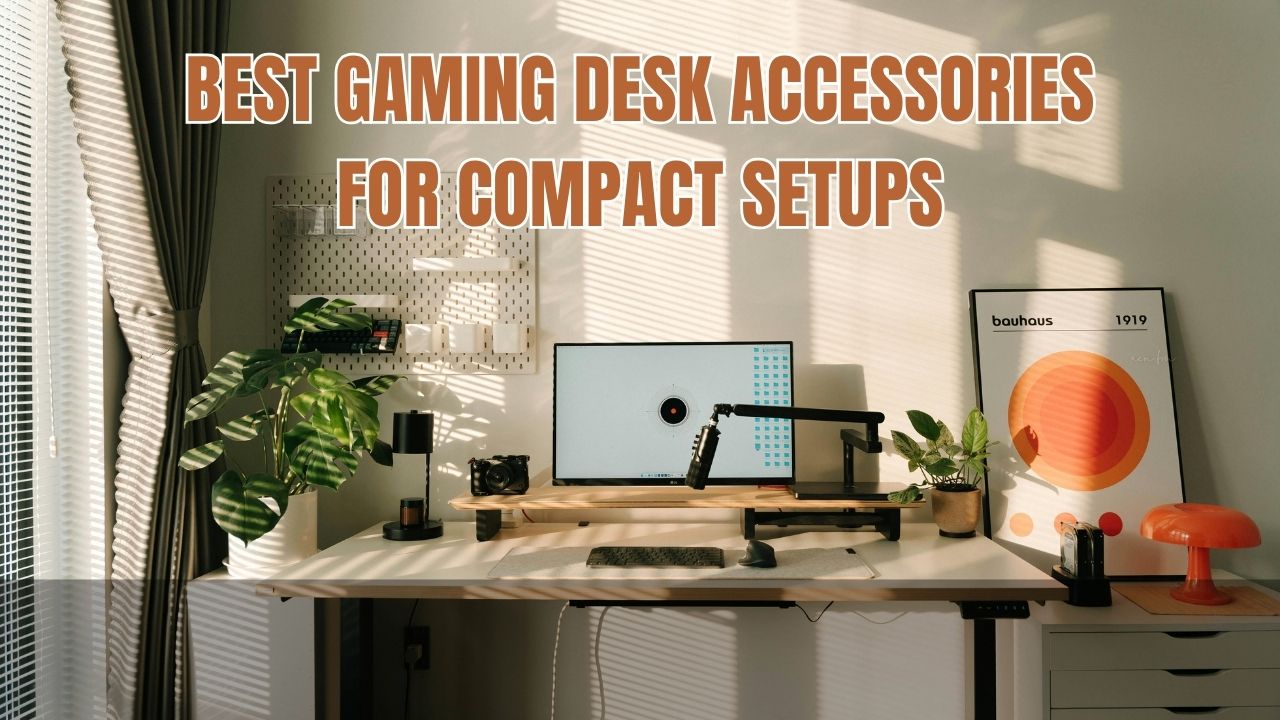
Creating a comfortable gaming setup does not require a large room or an expensive desk. With the right accessories, even a small desk in a bedroom, apartment, dorm room, or shared workspace can become a practical gaming station. The key is choosing products that improve comfort, organization, and usability without taking up valuable surface space.
The best gaming desk accessories for compact setups include monitor arms, compact desk mats, cable management clips, headset hooks, USB hubs, and adjustable lighting. These accessories solve everyday problems such as tangled cables, limited mouse movement, poor screen positioning, and a lack of storage. You do not need to purchase everything at once. Start with the items that solve the biggest problems in your current setup.
This guide explains which space-saving gaming accessories are worth considering in 2026, what features to check before buying, and how to create a cleaner and more comfortable gaming desk on a realistic budget.
What Are the Best Gaming Desk Accessories for Compact Setups?
For a small gaming desk, prioritize accessories that either free up the desktop or make better use of its existing space. Large decorative items may look attractive, but functional accessories usually provide more value when every inch matters.
1. Monitor Arm for More Desk Space
A monitor arm is one of the most useful upgrades for a compact gaming setup. A traditional monitor stand occupies part of the desk, often leaving less room for a keyboard, mouse, speakers, and other essentials. A compatible monitor arm attaches to the desk or another suitable mounting point and holds the screen above the work surface.
Many arms allow you to adjust the monitor’s height, tilt, and distance. This makes it easier to position the screen comfortably while keeping more of the desk available for gaming.
Before buying, check the monitor’s weight, screen size, and VESA mounting pattern. Some monitors do not have standard mounting holes and may require a compatible adapter. You should also confirm that your desk can safely support the mounting clamp. Thin, fragile, glass, or hollow-core desks may not be suitable for every arm.
If a monitor arm is outside your budget, a compact monitor riser can raise the display while providing a small storage area underneath. Choose a stable riser that does not wobble during normal desk use.
2. Compact Gaming Desk Mat
A desk mat creates a consistent surface for your keyboard and mouse while helping protect the desk from everyday wear. On a compact setup, the ideal mat should provide enough space for comfortable mouse movement without covering the entire desk unnecessarily.
Measure the usable desktop before choosing a mat. A medium-sized mat may work better than an oversized extended mat if your keyboard, mouse, and monitor stand already occupy most of the surface.
Look for a non-slip base, a smooth tracking surface, and durable edges. A fabric mat is a practical option for many gamers, although surface preference depends on the mouse and the type of control you prefer. Clean the mat according to its care instructions to avoid damaging the material.
A desk mat can also visually organize a setup by defining the main area for your keyboard and mouse. You can choose a neutral colour for a minimalist look or a design that matches your gaming accessories.
3. Cable Management Clips and Under-Desk Trays
Loose cables can make a small gaming desk look crowded and interfere with moving equipment. Cable management accessories help keep charging leads, monitor cables, USB connections, and power cords organized.
Adhesive cable clips are inexpensive and useful for guiding individual cables along the back or side of a desk. Reusable hook-and-loop ties can bundle cables together, while an under-desk tray can hold a compatible power strip and excess cable length.
Choose cable organizers based on the number and thickness of your cables. Before attaching adhesive clips, check that the desk surface is clean and suitable for the adhesive. Avoid pulling cables tightly or bending them sharply, and leave enough slack for equipment that moves.
Keep power connections accessible for maintenance and do not overload a power strip. Cable management should improve organization without blocking ventilation, creating trip hazards, or making it difficult to disconnect equipment safely.
4. Headset Hook or Compact Headphone Stand
A gaming headset can occupy a surprising amount of space when left beside a keyboard or monitor. A headset hook provides a simple storage solution by holding the headset on the side or underside of the desk.
An under-desk hook can preserve the main work surface, while a freestanding headphone stand may be more suitable if you do not want to attach anything to your desk. Some hooks also include space for routing a headset cable.
Check the attachment method before purchasing. Clamp-on hooks need enough room along the desk edge, while adhesive models require a compatible surface. Make sure the hook can support the headset’s weight and does not interfere with drawers or your legs.
This is a relatively small upgrade, but it can make a compact setup easier to keep organized between gaming sessions.
More Space-Saving Accessories Worth Considering
The most useful setup is not necessarily the one with the most accessories. Once the essential items are in place, consider these additions according to your available space and gaming habits.
5. USB Hub for Convenient Connectivity
A USB hub can make it easier to connect a keyboard, mouse, headset receiver, controller cable, and other peripherals without repeatedly reaching behind a PC. A compact hub placed near the edge of the desk can also reduce cable clutter.
Check whether you need USB-A, USB-C, or a combination of ports. Also consider whether the hub supports the data speeds required by your devices. Some hubs are designed mainly for basic peripherals, while others support faster storage devices or additional features.
A powered hub may be useful for devices that require more power than a basic bus-powered hub can provide. However, a hub does not automatically increase your computer’s overall performance, and not every port supports charging, video output, or high-speed data.
Choose the simplest hub that matches your actual needs. If your PC already has enough accessible ports, another accessory may provide better value.
6. Compact Controller Storage
Gamers who use a controller alongside a keyboard and mouse need a place to store it when it is not in use. A small controller stand, wall-mounted holder, or desk-side hook can prevent the gamepad from taking up valuable mouse space.
Choose a holder designed for the controller’s shape and weight. If you use several controllers, consider a vertical stand or a mount that can hold multiple devices without blocking other equipment.
Wireless controllers can reduce cable clutter, but they still need charging or battery replacement. Keep the charging cable in a convenient location and avoid leaving it stretched across the desk.
If you are choosing a gamepad for a Windows gaming setup, our guide to the best wireless controllers for PC can help you compare controller options and consider compatibility before buying.
7. Monitor Light Bar or Compact Desk Lamp
Good lighting can make a gaming area more comfortable, especially when the room is dim. A monitor light bar sits on top of a compatible display and directs light toward the desk, potentially reducing the need for a large lamp base.
A compact desk lamp is another option if you need adjustable lighting for gaming, reading, or studying. Look for a design that can be positioned without obstructing the screen or creating distracting reflections.
The right brightness depends on your room and personal preference. Avoid extreme differences between a bright display and a completely dark surrounding area. Position the light so it illuminates the desk without shining directly into your eyes.
Lighting is an optional upgrade rather than a requirement for every gamer. If your current setup is already well lit, your budget may be better spent on cable management or a more comfortable chair.
8. Compact Storage and Desk-Side Organizers
Small accessories such as USB drives, adapters, controller cables, and memory cards can quickly create clutter. A compact organizer or small drawer unit can keep these items together without occupying much of the main gaming surface.
Choose vertical or desk-side storage if your desktop is already full. A small tray can work for frequently used items, while less frequently used accessories can be stored in a drawer or labelled box.
Avoid stacking too many items around your monitor or PC. Keep ventilation openings clear and leave enough room to reach the power button, ports, and cables when needed.
How to Choose Gaming Desk Accessories on a Budget
You can improve a compact gaming setup without buying premium products. The most effective approach is to identify a specific problem, compare a few suitable accessories, and purchase only what addresses that problem.
Start by measuring the desk’s width, depth, and available edge space. Record the dimensions of your monitor, keyboard, and mouse area. These measurements help you avoid buying an accessory that does not fit or leaves too little room for comfortable movement.
Next, consider compatibility. Monitor arms require suitable mounting support, USB hubs need the correct connection, and controller holders must fit the device. Check the manufacturer’s specifications rather than assuming that accessories are universal.
You should also compare build quality and adjustability. A cheap monitor arm that cannot hold its position may be worse than the original stand. A cable organizer that detaches easily can create more mess instead of solving it. For accessories that support heavy equipment, stability and safe installation matter more than appearance.
Finally, prioritize upgrades in order of usefulness. If cables are the biggest problem, start with clips and reusable ties. If the monitor stand takes up too much space, compare a riser with a compatible arm. Add decorative lighting and themed accessories only after the essential needs are covered.
How to Arrange a Small Gaming Desk Efficiently
Good layout can make a bigger difference than adding more accessories. Place the monitor directly in front of your usual seating position, at a height and distance that feel comfortable. Avoid twisting your neck repeatedly to view the screen.
Keep the keyboard and mouse within easy reach, with enough room for the movement your games require. If you play competitive shooters, do not let a large speaker, controller stand, or desk ornament reduce your available mouse area.
Place frequently used items where they are easy to reach, and store equipment that you rarely use elsewhere. Route cables along the back or underside of the desk while leaving enough slack for adjustable devices.
If your desk is also used for studying or work, choose accessories that can be moved or stored easily. A compact desk mat, removable controller holder, and simple cable clips can provide flexibility without making the setup difficult to rearrange.
Common Mistakes to Avoid When Buying Compact Gaming Accessories
One common mistake is purchasing accessories based only on their appearance. RGB lighting and decorative stands may improve the look of a gaming setup, but they do not necessarily improve comfort or free up space. Consider practical benefits before buying.
Another mistake is ignoring desk dimensions and mounting requirements. A monitor arm may not fit a thick desk edge, and a clamp can damage a surface that is not designed to support it. Always check compatibility and follow the installation instructions.
Avoid buying several organizers before understanding where clutter comes from. Sometimes a few reusable cable ties and a headset hook are enough. More accessories can create more clutter if they do not serve a clear purpose.
Finally, do not sacrifice comfort to make a setup look minimal. Keep enough room for your arms and mouse movement, position the screen comfortably, and ensure that accessories do not block ventilation or create hazards.
Frequently Asked Questions
What are the best gaming desk accessories for small spaces?
Monitor arms, compact desk mats, cable clips, headset hooks, and USB hubs are useful starting points. The best choice depends on whether your main problem is limited desktop space, cable clutter, or lack of connectivity.
Is a monitor arm worth it for a small gaming desk?
It can be worth it if the existing monitor stand occupies too much space or the screen needs better positioning. Check the monitor’s weight, VESA compatibility, and desk construction before buying an arm.
How can I organize gaming cables cheaply?
Reusable cable ties and adhesive clips are inexpensive ways to guide cables along the back or underside of a desk. Keep power connections accessible, avoid tight bends, and leave slack for moving equipment.
Do I need a USB hub for a gaming setup?
Not necessarily. A hub is useful when you regularly connect more devices than your PC’s accessible ports can comfortably support. Check the required port types and data speeds before purchasing one.
Are wireless gaming accessories better for compact desks?
Wireless accessories can reduce the number of cables across the desktop, but they still need batteries or charging. Choose wireless devices when the convenience is worth the additional cost and maintenance.
Final Thoughts
The best gaming desk accessories for compact setups in 2026 are the ones that solve real problems while preserving valuable space. A monitor arm or riser can improve screen placement, cable organizers can reduce clutter, and a headset hook can keep frequently used equipment off the desktop.
You do not need to buy every accessory at once. Measure your desk, identify the biggest limitation, and choose compatible products that offer practical benefits. With a few thoughtful upgrades and an efficient layout, even a small gaming desk can become more organized, comfortable, and ready for long gaming sessions.