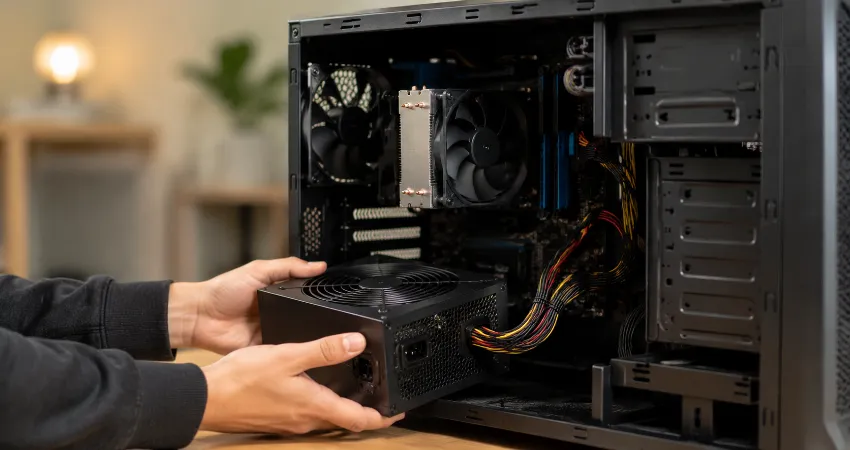
For years, I treated my PC’s power supply unit (PSU) as just another box hidden inside the case. Like many PC users, I spent most of my attention on the processor, graphics card, RAM, and storage. I upgraded my GPU, cleaned my fans, updated drivers, and monitored temperatures, but the power supply quietly continued doing its job without any attention.
That changed when my computer suddenly started showing strange problems. Random shutdowns, unstable performance, and unexpected crashes made me suspect almost every component except the PSU. After hours of troubleshooting, I discovered that the part I had ignored for years was the reason behind my PC’s problems. A failing power supply can create symptoms that look like software issues or faulty hardware because it affects every component connected to it.
This experience completely changed how I think about PC maintenance. A power supply is not just a component that provides electricity; it is the foundation that keeps every other part running safely. Here is what happened, what I learned, and why every PC owner should pay more attention to their PSU.
The Component I Ignored Was Actually The Most Important One
When building or upgrading a computer, most people focus on performance. A powerful graphics card, faster processor, and more memory are exciting upgrades because they directly improve speed. The power supply, however, does not increase frame rates or make applications open faster, so it is often overlooked.
The PSU has one of the most important responsibilities inside a computer. It converts electricity from the wall into stable power that the motherboard, CPU, GPU, storage drives, and other components can use. If the power delivery becomes unstable, the entire system can suffer.
My mistake was assuming that because my PC was turning on every day, the power supply was healthy. In reality, electronic components inside a PSU slowly age. Capacitors lose efficiency, fans collect dust, and internal temperatures affect long-term reliability.
The First Warning Signs I Completely Ignored
Looking back, my computer actually gave me several warnings before the final failure. The signs were small enough that I ignored them or blamed other causes. This is common because PSU problems often appear as general system instability rather than an obvious power failure.
The first sign was occasional random restarting during demanding tasks. At the time, I blamed Windows updates, graphics drivers, or overheating. Later, I learned that unstable power delivery can cause crashes, freezes, boot problems, and unexpected reboots, especially when the system is under heavy load.
Another warning was unusual fan behavior. Sometimes the computer became louder than normal, and the PSU fan seemed to struggle. Dust buildup and cooling problems can increase stress on a power supply and shorten its useful life.
The Moment My PC Finally Failed
The actual failure happened when I was using my PC for a demanding workload. Without warning, the system shut down completely. Pressing the power button again resulted in inconsistent behavior. Sometimes it started, sometimes nothing happened.
My first thought was that the motherboard had failed. Then I suspected the graphics card because it was the most expensive component in the system. I checked cables, reinstalled drivers, tested memory, and performed several troubleshooting steps.
Eventually, I tested the system with another power supply. The result was immediate. The computer became stable again. The component I had never considered was the actual problem.
Why Power Supply Problems Are Difficult To Diagnose?
A faulty PSU does not always completely stop working. Many power supplies fail gradually. They may still turn on the computer but provide unstable power during demanding situations.
This makes diagnosis difficult because the symptoms overlap with many other hardware problems. A failing graphics card, bad RAM, overheating processor, or corrupted software can appear similar.
Common symptoms of power supply problems include random shutdowns, system crashes, failure to boot, display issues, and instability during high-performance tasks.
The Hidden Risk Of Using An Old Power Supply
One important lesson I learned is that age matters. Even a good-quality PSU does not last forever. A power supply working for several years does not automatically mean it is still delivering clean and stable power.
Older systems are especially worth checking if they have been upgraded over time. Many users replace their graphics card or processor but continue using the original PSU from an older build. The problem is that newer hardware can demand more consistent power.
A weak or aging PSU may not only cause performance problems. In extreme cases, a failed power supply can potentially damage connected components because it is directly connected to the entire system.
What I Would Do Differently Today?
If I were building the same PC again, I would treat the power supply as an investment rather than an afterthought. Choosing a reliable PSU with proper protection features is just as important as selecting other hardware.
I would also check the PSU regularly. Cleaning dust from the case, ensuring proper airflow, and watching for unusual noises can help identify problems early.
Another important lesson is avoiding extremely cheap power supplies. A lower price may look attractive initially, but the PSU protects every other component in the computer. Saving money on the foundation of the system can create expensive problems later.
How To Take Better Care Of Your PC Power Supply?
Basic maintenance can significantly improve the lifespan of a power supply. Keep the computer case clean, avoid blocking ventilation areas, and make sure the PSU fan can move air properly.
If your PC is several years old, monitor its behavior carefully. Sudden shutdowns, strange noises, burning smells, or unstable performance should not be ignored. These symptoms may indicate that the power delivery system needs attention.
For users upgrading to a powerful graphics card or processor, always check whether the existing PSU can handle the new hardware requirements. A balanced system is more reliable than one with expensive components powered by an inadequate supply.
FAQs About PC Power Supplies
1. Why do people usually ignore their PC power supply?
Many users ignore the PSU because it does not directly improve performance. A better graphics card produces visible results, but a good power supply works silently in the background. Since it does not provide noticeable speed improvements, many people only think about it when something goes wrong.
2. How long does a typical PC power supply last?
The lifespan of a PSU depends on quality, usage, temperature, and workload. A high-quality unit used in good conditions can last many years, but older power supplies should still be monitored because internal components naturally wear over time.
3. Can a bad power supply damage other PC components?
A failing PSU can create unstable power conditions that may affect other hardware. Modern power supplies include safety protections, but a poor-quality or severely damaged unit may increase the risk of problems for connected components.
4. What are the biggest signs of a failing PSU?
Common warning signs include random shutdowns, unexpected restarts, boot failures, unusual noises, overheating, and system instability during heavy workloads. These symptoms can have other causes, so proper testing is important.
5. Should I replace my PSU when upgrading my graphics card?
Yes, it is important to check compatibility before upgrading. A new graphics card may require more power or newer power standards. Using an older PSU without checking specifications can create stability issues.
6. Does a more powerful PSU always make a PC faster?
A higher wattage power supply does not directly increase performance. Its job is to provide stable power. Performance improvements come from components like the CPU, GPU, and memory, while the PSU ensures those components operate safely.
7. Can software problems look like power supply problems?
Yes. Driver crashes, operating system issues, and hardware failures can produce similar symptoms. That is why troubleshooting should include checking the PSU when random crashes or shutdowns happen without a clear reason.
8. How can I check if my PSU is failing?
The best method is testing with a known reliable power supply or using professional diagnostic equipment. Software monitoring can provide clues, but it cannot always confirm a PSU problem because many failures happen under real workload conditions.
9. Is cleaning a power supply necessary?
Keeping the PSU area free from dust is important because dust can restrict airflow and increase heat. However, users should never open the PSU casing because internal components can store dangerous electrical charges even after being unplugged.
10. What should I consider when buying a new PSU?
Look for a reliable manufacturer, suitable wattage, good efficiency rating, proper protection features, and compatibility with your hardware. A quality PSU is a long-term investment that helps protect the entire computer system.
Conclusion
My biggest PC maintenance mistake was ignoring the power supply because it was not a visible performance component. The experience taught me that stability starts with reliable power. A computer is only as dependable as the electricity running through its components.
If you have spent years upgrading your PC while ignoring the PSU, it may be time to give it some attention. A small amount of maintenance and awareness can prevent unexpected failures and protect the hardware you have invested in.