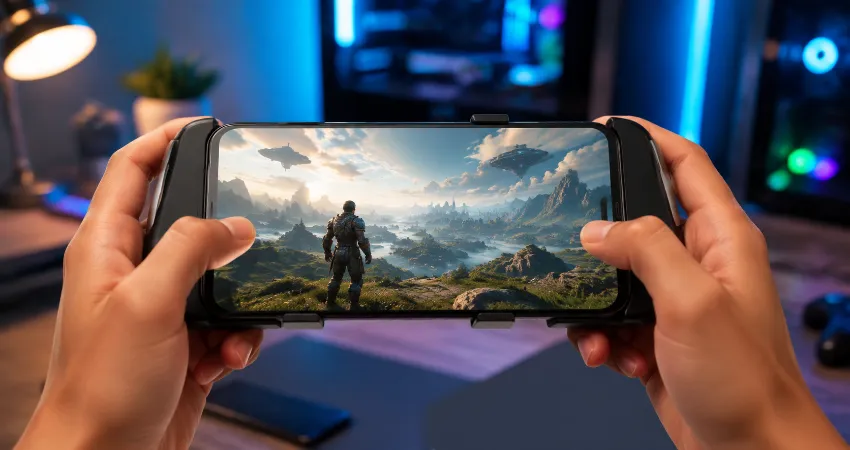
Cloud gaming on a phone has changed the way people think about playing high-end games. Instead of installing large game files or buying expensive gaming hardware, users can stream games directly from powerful remote servers to a smartphone. The idea sounds simple, but the real experience depends on factors that are often ignored, especially mobile data usage, network stability, and latency.
Many beginners expect cloud gaming to work like watching a video online. However, gaming is much more demanding because every button press needs a quick response from a remote computer. A small delay that is acceptable while watching a movie can completely change the feeling of a fast-paced game. Understanding how data and latency work can help users get a smoother experience and avoid common frustrations.
What Is Cloud Gaming On A Phone?
Cloud gaming on a phone means that the actual game runs on a powerful server located in a data center, while your smartphone works mainly as a display and controller. The server processes graphics, physics, and game performance, then sends a live video stream to your device. Your touch controls, Bluetooth controller inputs, or other commands travel back to the server.
This technology removes the need for large storage space and expensive hardware upgrades. A mid-range smartphone can access games that normally require a powerful gaming PC or console. However, because the experience depends on constant communication between your phone and the server, your internet connection becomes one of the most important parts of the gaming setup.
The Hidden Reality Of Mobile Data Usage In Cloud Gaming
One of the biggest surprises for new cloud gaming users is how much mobile data streaming games can consume. Unlike traditional gaming, where only small updates or online information are transferred, cloud gaming continuously sends high-quality video data while receiving your commands.
The amount of data depends on streaming quality, resolution, frame rate, and the platform being used. Higher settings provide sharper images and smoother motion, but they require more bandwidth. A user playing for several hours every week may quickly notice increased mobile data consumption if they rely on a limited data plan.
Before using cloud gaming regularly, it is important to check your internet package and understand your monthly data limits. Using Wi-Fi with a stable connection is often the better choice for long gaming sessions, especially when playing high-resolution games.
Why Latency Matters More Than Internet Speed?
Many people believe that faster internet speed automatically means better cloud gaming. Speed is important, but latency is often the deciding factor. Latency measures the time it takes for information to travel between your device and the gaming server.
A connection with high download speed but poor latency can still feel uncomfortable during gameplay. For example, you may press a button and notice a delayed reaction from your character. This problem becomes more noticeable in games that require quick movements, accurate timing, or fast decision-making.
A reliable cloud gaming experience depends on a combination of low latency, stable connection quality, and sufficient bandwidth. These three elements work together to create responsive gameplay.
How Your Location Affects Cloud Gaming Performance?
The physical distance between your phone and the cloud gaming server has a major impact on latency. Data must travel between your device and the server, and longer distances usually create additional delay.
Cloud gaming companies operate servers in different regions to reduce this problem. However, users in areas farther away from available data centers may experience slower responses even with a good internet connection.
This is one reason why two people using similar phones and internet packages can have completely different cloud gaming experiences. The quality of the network route between the user and the server can be just as important as the device itself.
Mobile Network Vs. Wi-Fi For Cloud Gaming
Both mobile networks and Wi-Fi can support cloud gaming, but their performance can vary greatly. Modern mobile networks can provide impressive speeds, but signal strength, network congestion, and tower distance can affect consistency.
A stable home Wi-Fi connection is usually preferred because it offers more predictable performance. However, a strong mobile connection can still provide a good experience when users are traveling or away from home.
The important factor is not simply choosing one technology over another. The best option is the connection that provides stable performance with low latency in your specific location.
Common Mistakes That Reduce Cloud Gaming Quality
Many cloud gaming problems are caused by simple setup mistakes. Using a weak Wi-Fi signal, playing while multiple devices are consuming heavy bandwidth, or choosing very high streaming settings can create unnecessary issues.
Another common mistake is ignoring device settings. Background applications, outdated software, and overheating can affect the overall experience. A smartphone that manages resources properly can provide more consistent gameplay.
Adjusting streaming quality according to your actual connection is often better than always selecting maximum settings. A slightly lower resolution with stable performance usually feels better than a high-quality stream with constant interruptions.
Practical Ways To Improve Cloud Gaming On Your Phone
Improving cloud gaming performance does not always require expensive upgrades. Simple changes can make a noticeable difference. Keeping your phone close to the Wi-Fi router, using a modern router, closing unnecessary apps, and keeping software updated are effective starting points.
Using a controller can also improve the experience because physical controls often provide better accuracy than touchscreen controls. Additionally, testing different server regions and adjusting streaming settings can help users find the best balance between image quality and responsiveness.
FAQs About Cloud Gaming On Phones
1. Does cloud gaming work on any smartphone?
Most modern smartphones can run cloud gaming services because the heavy processing happens on remote servers. However, the phone still needs a capable operating system, a good display, and a stable internet connection. Older devices may struggle with software compatibility or decoding high-quality video streams smoothly.
2. How much data does cloud gaming use on a phone?
Data usage depends on streaming quality, resolution, and playing time. Higher-quality streams consume more data because the service sends more detailed video information. Users with limited mobile data should monitor usage carefully and consider Wi-Fi for longer sessions.
3. Is internet speed the most important factor for cloud gaming?
Internet speed is important, but it is not the only factor. Low latency and connection stability are often more important for responsive gameplay. A fast but unstable connection can create interruptions, while a stable connection with reasonable speed may provide a better experience.
4. Why does cloud gaming feel delayed sometimes?
Delay usually happens because of high latency between the phone and the gaming server. Network congestion, server distance, weak signals, and poor routing can increase response time. Reducing background network usage and choosing a closer server can often help.
5. Can cloud gaming replace a gaming PC?
Cloud gaming can replace a gaming PC for many casual and flexible users, especially those who want access to advanced games without buying expensive hardware. However, dedicated gamers who need maximum performance, customization, and offline access may still prefer traditional gaming systems.
6. Is Wi-Fi better than mobile data for cloud gaming?
In many situations, Wi-Fi provides a more stable experience because it is less affected by mobile network congestion. However, a strong mobile connection can also work well. The quality of the connection matters more than the technology type itself.
7. Does cloud gaming damage phone battery health?
Cloud gaming can increase battery usage because the phone continuously receives video streams, processes graphics output, and maintains network communication. Long sessions may create heat, so users should avoid blocking ventilation and consider charging practices that support battery health.
8. Can cloud gaming work with touchscreen controls?
Many cloud gaming platforms support touchscreen controls, making them accessible without extra equipment. However, some games are designed around physical controllers, so using a Bluetooth controller may provide better comfort and accuracy for longer gaming sessions.
9. What connection problems affect cloud gaming the most?
The biggest issues include unstable connections, sudden bandwidth drops, high latency, and interference. Even short interruptions can affect a live game stream. A consistent connection is usually more valuable than occasional high speeds.
10. How can beginners get the best cloud gaming experience?
Beginners should start by testing their connection, selecting moderate streaming settings, and playing on a stable network. Understanding data usage and latency before investing time into cloud gaming helps avoid disappointment and creates a smoother experience.
Conclusion
Cloud gaming on a phone offers an exciting way to access advanced games without expensive hardware, but the experience depends heavily on network quality. Data consumption, latency, server location, and connection stability are the factors that truly decide performance.
By understanding these hidden challenges and adjusting settings wisely, users can enjoy a smoother and more reliable cloud gaming experience.