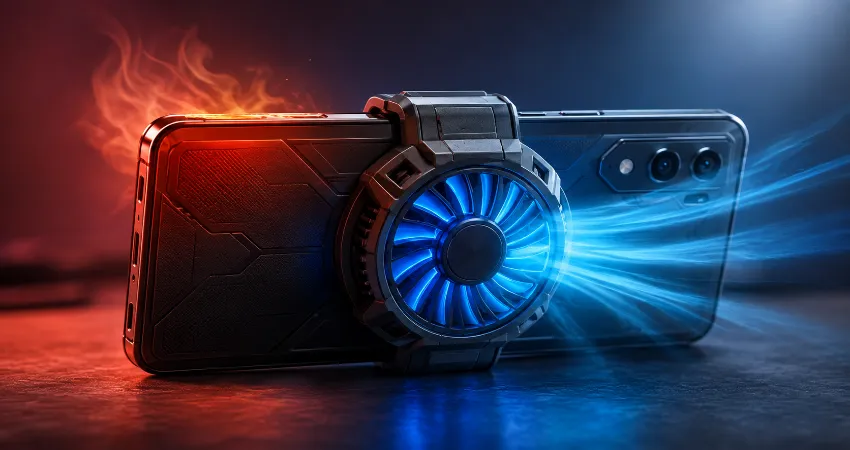
A gaming phone is designed to handle demanding tasks, high frame rates, and heavy graphics processing. However, many users experience a frustrating problem: the phone works perfectly for the first few minutes, but after around 20 minutes of gaming, the device becomes extremely hot, performance drops, and the gameplay starts feeling less smooth. I faced the same issue while testing a high-performance gaming smartphone during long gaming sessions.
At first, I thought the overheating problem was caused by the game itself or a weak battery. After monitoring temperature changes, CPU usage, and performance drops, I discovered that the main issue was heat management. The phone’s internal cooling system could handle short gaming sessions, but continuous high performance created more heat than the device could remove. Adding an external cooling fan completely changed the experience by keeping temperatures under control and maintaining stable performance.
In this guide, I will explain why gaming phones overheat after 20 minutes, what actually happens inside the device when temperatures rise, and how a cooling fan helped solve the problem. I will also share practical methods to reduce heat without damaging your smartphone.
Why Does a Gaming Phone Overheat After 20 Minutes?
Gaming phones generate a significant amount of heat because multiple hardware components work together at maximum capacity. The processor, graphics unit, display, battery, and network components all consume more power during gaming compared to normal daily activities.
During the first few minutes, the phone can usually handle the workload because the internal cooling system has enough capacity to remove heat. However, continuous gaming creates a heat buildup inside the device. Once the temperature reaches a certain level, the phone begins reducing performance automatically to protect the hardware.
This process is called thermal throttling. It lowers processor speed and graphics performance, which can cause frame drops, slower response times, and inconsistent gameplay.
The Real Reason Behind Gaming Phone Heat Problems
Many people believe that overheating only happens because of a powerful processor, but the actual reason is a combination of performance demand and heat dissipation limitations. Modern gaming phones use advanced chipsets that can deliver desktop-like performance, but they still operate inside a thin smartphone body.
Unlike computers, smartphones have limited space for large cooling solutions. Manufacturers use technologies such as vapor chambers, graphite layers, and liquid cooling systems, but these solutions have physical limits. When the phone continuously runs at maximum performance, the generated heat can exceed what the internal cooling system can remove.
How I Tested the Overheating Problem?
To understand the issue better, I tested my gaming phone during extended gaming sessions. The device temperature was normal during the first 10 minutes, but after approximately 20 minutes, the back panel became noticeably warmer. Performance monitoring showed that the processor started reducing speed to control temperature.
The biggest difference was visible during graphics-intensive games. The frame rate was stable initially, but after prolonged play, sudden drops appeared. The phone was still powerful enough to run the game, but heat management became the limiting factor.
Signs That Your Gaming Phone Is Thermal Throttling
Overheating does not always mean your phone will shut down. In many cases, the device quietly reduces performance to protect itself. Some common signs include reduced frame rates, delayed touch response, slower loading times, and sudden brightness reduction.
You may also notice that the phone becomes uncomfortable to hold, especially around the processor area. If these problems appear after 15 to 30 minutes of gaming, heat is likely affecting performance.
How a Cooling Fan Fixed My Gaming Phone Overheating Issue?
The biggest improvement came after using an external smartphone cooling fan. Unlike passive cooling methods, an external fan actively removes heat from the back of the phone. This helps the internal cooling system maintain a lower temperature during long gaming sessions.
After attaching the cooling fan, the temperature increased much more slowly. The phone remained comfortable to hold, and performance became more consistent. The most noticeable improvement was the reduction in frame drops because the processor no longer needed to reduce speed as aggressively.
A good gaming phone cooler does not make the processor more powerful. Instead, it allows the existing hardware to operate closer to its full potential by controlling heat.
What Features Should You Look for in a Phone Cooling Fan?
Not every cooling fan provides the same results. A quality gaming phone cooler should have strong heat transfer capability, a reliable attachment system, and quiet operation. Some models use semiconductor cooling technology, which can provide faster temperature reduction compared to simple fans.
The size of the cooling surface is also important. A larger contact area usually transfers heat more effectively. Adjustable fan speed, USB-C power support, and compatibility with different phone sizes are additional features worth considering.
Other Ways to Reduce Gaming Phone Temperature
A cooling fan is helpful, but it should be combined with good usage habits. Removing a thick phone case during gaming can improve airflow and allow heat to escape more easily. Lowering unnecessary background activity can also reduce processor workload.
Using a stable internet connection helps because poor network conditions can force the phone to work harder. Keeping the screen brightness at a reasonable level and avoiding gaming while charging can also reduce heat generation.
Can Overheating Damage a Gaming Phone?
Modern smartphones include safety systems designed to prevent serious damage from heat. However, frequent exposure to high temperatures may affect long-term battery health. Heat is one of the biggest factors that can reduce battery efficiency over time.
Maintaining a reasonable temperature during extended gaming sessions helps preserve battery performance and provides a better overall experience.
Frequently Asked Questions
1. Why does my gaming phone become hot after playing for 20 minutes?
Your gaming phone becomes hot after 20 minutes because the processor and graphics unit continuously consume high power during gameplay. The heat generated gradually increases because the internal cooling system cannot remove heat as quickly as it is produced. Once the temperature rises, the phone may reduce performance to protect its components.
2. Is overheating normal for gaming phones?
Some level of heat is completely normal for gaming phones because they are designed to deliver high performance. However, extreme heat that causes performance drops, uncomfortable handling, or sudden shutdowns indicates that the cooling system needs additional support or better usage conditions.
3. Does a cooling fan really improve gaming performance?
A cooling fan can improve gaming performance indirectly by preventing thermal throttling. It does not increase the power of the processor, but it helps the phone maintain higher performance levels for longer periods by keeping temperatures lower.
4. Can I play games while my phone is charging?
Gaming while charging can significantly increase heat because the battery is receiving power while the processor is already working heavily. For long gaming sessions, it is better to charge the phone first and then play, or use a cooling solution if charging during gameplay is necessary.
5. Do gaming phone cases cause overheating?
Some thick protective cases can trap heat and reduce airflow around the phone. While they protect the device from physical damage, they may make temperature management harder during demanding activities like gaming.
6. How can I check my gaming phone temperature?
You can check temperature information through built-in gaming tools or hardware monitoring applications. These tools can show processor activity, battery temperature, and performance changes that help identify overheating problems.
7. Are internal cooling systems enough for long gaming sessions?
Internal cooling systems are usually sufficient for normal gaming, but extremely demanding games played for several hours may push the limits of smartphone cooling technology. An external cooling fan provides additional heat removal when the internal system reaches its maximum capacity.
8. Does lowering graphics settings reduce phone temperature?
Yes, lowering graphics settings reduces the workload on the processor and graphics unit. This decreases power consumption and heat production, allowing the phone to maintain smoother performance for longer periods.
9. Can overheating reduce battery life?
Repeated exposure to high temperatures can affect battery health over time. Heat accelerates battery aging, which may result in reduced capacity and shorter usage time. Keeping temperatures controlled helps maintain better battery performance.
10. Is a cooling fan worth buying for mobile gaming?
For casual gaming, a cooling fan may not be necessary. However, for users who play demanding games for long sessions, a quality cooling fan can be a useful investment because it improves comfort, reduces thermal throttling, and helps maintain stable performance.
Conclusion
Gaming phone overheating after 20 minutes is usually caused by continuous high performance demands and limited heat removal capacity. While modern smartphones include advanced cooling technology, long gaming sessions can still create more heat than the device can handle alone.
In my experience, adding an external cooling fan was the simplest solution to maintain stable performance and reduce temperature problems. Combined with proper gaming habits, a good cooling system can help your phone deliver a smoother and more enjoyable gaming experience.