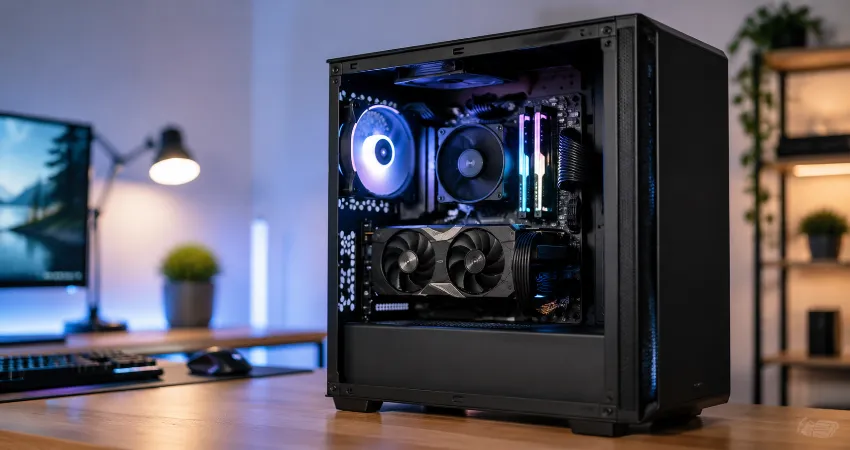
Building a gaming PC on a limited budget is one of the most rewarding experiences for anyone who enjoys technology. When I decided to build a gaming PC for under $800, my goal was not simply to put together the cheapest machine possible. I wanted a balanced system that could handle modern games smoothly, offer room for future upgrades, and avoid wasting money on parts that looked impressive but provided little real-world benefit.
This build was created around practical performance. After using the system, testing different workloads, and comparing where the budget was best spent, I learned that smart component selection matters more than chasing expensive hardware. Some choices worked extremely well, while others are areas I would approach differently today.
The Main Goal Behind My $800 Gaming PC Build
The purpose of this build was to create a reliable gaming computer capable of delivering strong 1080p gaming performance and acceptable results at higher resolutions. Instead of focusing on maximum specifications, I prioritized the parts that directly affect gaming experience, such as the graphics card, processor performance, storage speed, and cooling.
A common mistake when building a budget gaming PC is spending too much on one component while ignoring the rest of the system. A powerful graphics card paired with weak supporting hardware can create performance limitations. My approach was to create a balanced setup where every part worked together efficiently.
The Parts I Used For My Under $800 Gaming PC
Processor: AMD Ryzen 5 7600
The processor was one of the easiest choices because it provided excellent gaming performance without consuming too much of the budget. The AMD Ryzen 5 7600 offers strong single-core performance, which is important for many modern games, while also providing enough multi-core capability for streaming, editing, and everyday tasks.
What I liked most about this processor was its efficiency. It delivers high performance without requiring an expensive cooling solution, making it a practical choice for a mid-range gaming computer.
Graphics Card: AMD Radeon RX 7600
The graphics card received the largest portion of the budget because it has the biggest impact on gaming performance. The Radeon RX 7600 was selected because it delivers excellent 1080p results and supports modern features without pushing the total cost beyond the target range.
During testing, this card handled competitive games with high frame rates and managed many demanding single-player titles with adjusted settings. For a budget-focused gaming build, it provided a strong balance between price and performance.
Memory: 32GB DDR5 RAM
Although 16GB of RAM is still enough for many games, I decided to install 32GB of DDR5 memory. Modern games are becoming more demanding, and having extra memory helps with multitasking, background applications, and future requirements.
The additional capacity also improved the overall experience when running multiple programs while gaming. It was one of the decisions that made the system feel more comfortable over time.
Storage: 1TB NVMe SSD
Fast storage has become an essential part of a modern gaming PC. I selected a 1TB NVMe SSD because it provided enough space for Windows, applications, and several large games while offering much faster loading speeds compared to traditional hard drives.
One terabyte was a practical starting point because game installations continue to grow. A smaller drive may save money initially but can quickly become frustrating when managing storage space.
Motherboard: Budget-Friendly B650 Model
The motherboard choice focused on features rather than unnecessary extras. A reliable B650 motherboard provided support for newer processors, DDR5 memory, and future upgrade options without taking too much money away from performance-focused components.
For most gamers, expensive motherboards rarely improve gaming performance. It is better to choose a quality board with the required features and invest remaining money into parts that directly improve gameplay.
Power Supply: Quality 650W Unit
The power supply is one component where cutting costs can create problems. I selected a reliable 650W power supply with enough capacity for the current hardware and possible upgrades.
A good power supply improves system stability and protects other components. It may not increase frame rates, but it is an important foundation for any gaming computer.
Case and Cooling Choices
The case selection was based on airflow, cable management, and value. A visually attractive case is nice, but good airflow is more important because better temperatures help maintain consistent performance.
I used a simple cooling setup because the processor did not require an expensive solution. Spending heavily on additional cooling would have reduced the budget available for performance components.
What I Would Change About This Build Today?
After spending time with this PC, there are several decisions I would reconsider. The build performed well, but technology changes quickly and newer options have become available.
First, I would carefully compare graphics card options before purchasing. The graphics card market changes frequently, and sometimes a slightly different model can provide better value depending on current prices.
Second, I might consider purchasing a larger SSD from the beginning. A 1TB drive works well, but modern game libraries can fill storage quickly. A 2TB NVMe SSD would provide a more comfortable long-term experience.
Finally, I would spend more time planning future upgrade paths. Choosing components that support later improvements can extend the life of a gaming PC and reduce the need for a complete rebuild.
Lessons I Learned From Building A Budget Gaming PC
The biggest lesson was that research matters more than spending more money. A carefully planned $800 gaming PC can provide an excellent experience when the budget is distributed correctly.
I also learned that user needs should guide every decision. Someone who mainly plays competitive games may prioritize different parts compared to someone who enjoys visually demanding single-player experiences or creative workloads.
Frequently Asked Questions
1. Can you really build a good gaming PC for under $800?
Yes, an $800 budget is enough to build a capable gaming PC if the money is spent carefully. The key is choosing balanced components instead of focusing on one expensive part. A well-planned system can deliver excellent 1080p gaming performance and remain useful for several years.
2. Which component matters most in a gaming PC build?
The graphics card usually has the biggest effect on gaming performance because it handles most visual processing. However, the best results come from balance. A good graphics card needs a capable processor, enough memory, fast storage, and a reliable power supply to perform properly.
3. Is 16GB RAM enough for a modern gaming computer?
Yes, 16GB RAM can still handle many games, but 32GB provides more flexibility. Extra memory helps with multitasking, future games, content creation, and running background applications while gaming.
4. Should I choose AMD or Intel for a budget gaming PC?
Both AMD and Intel offer strong processors for gaming. The better choice depends on current pricing, available features, and upgrade options. Instead of choosing based only on brand, compare actual performance and total platform cost.
5. How much storage should a gaming PC have?
For most gamers, 1TB is a reasonable minimum because modern games require significant storage space. Users with large game collections or creative projects may benefit from a 2TB SSD to avoid frequent file management.
6. Do I need expensive cooling for an $800 gaming PC?
No, expensive cooling is usually unnecessary for a balanced mid-range build. A quality air cooler or included processor cooler can be enough depending on the hardware. Good case airflow is often more important than premium cooling equipment.
7. What mistakes should beginners avoid when building a PC?
Beginners should avoid choosing parts without checking compatibility, spending too much on appearance, and buying unreliable power supplies. Researching each component and reading performance reviews can prevent costly mistakes.
8. Can this type of gaming PC handle future games?
A well-balanced $800 gaming PC can handle many upcoming games, especially at 1080p settings. However, technology constantly advances, so future performance depends on game requirements and whether the system receives upgrades.
9. Is building a PC cheaper than buying a prebuilt gaming computer?
Building a PC can provide better value because you can select every component and avoid paying extra for unnecessary features. However, prebuilt systems can be convenient for users who prefer a ready-to-use solution.
10. What is the most important advice for first-time PC builders?
The most important advice is to research before buying anything. Understand your gaming goals, create a realistic budget, check component compatibility, and focus on performance rather than marketing features.
Conclusion
Building a gaming PC for under $800 proved that great gaming performance does not require an unlimited budget. By focusing on balanced components, smart spending, and future upgrade options, it is possible to create a powerful and enjoyable system.
Looking back, I would make a few changes, but the experience showed that thoughtful planning is the most valuable component of any PC build.