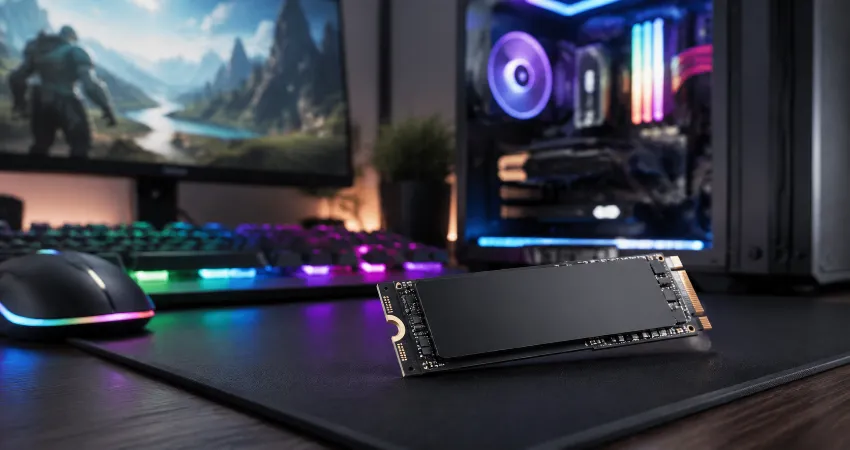
For years, I accepted long game loading screens as a normal part of PC gaming. My system was powerful enough to run modern titles smoothly, but every time I launched a large open-world game, I found myself waiting several seconds before entering the actual gameplay. The graphics card and processor were not the problem. The bottleneck was hiding in the storage drive.
After upgrading from an older hard drive setup to a modern SSD, the difference was immediately noticeable. Games that previously required long loading periods became much faster, and the overall experience felt more responsive.
While SSD upgrades do not magically increase frame rates, they can dramatically improve loading speed, reduce waiting time, and make a gaming system feel much more modern. SSDs are widely recognized for faster access times compared with traditional hard drives because they use flash memory instead of mechanical components.
Why I Decided It Was Time to Upgrade My Storage?
My gaming PC had reached a point where upgrading the storage made more sense than replacing other components. The processor handled demanding games well, the graphics card delivered stable performance, and I had enough memory for everyday gaming. However, installing large games on a traditional hard drive created a noticeable delay.
Modern games are becoming larger because they contain detailed textures, complex environments, and massive amounts of data. Every time a game loads a new level, it needs to access thousands of files quickly. A slow storage device can become a limitation, especially in open-world games where assets are constantly being loaded in the background.
The SSD Upgrade I Made and Why It Changed Everything
I upgraded my system by replacing my older mechanical hard drive with an SSD. Instead of focusing only on the highest advertised speed numbers, I selected a reliable SSD with enough capacity for my operating system and frequently played games.
Many gamers assume that the most expensive SSD will always create a massive improvement, but real-world gaming performance depends on several factors. Moving from an HDD to an SSD usually creates the biggest improvement. Moving from one high-end SSD to an even faster SSD often produces smaller differences because game engines also depend on CPU processing, memory, and optimization. Testing has shown that while SSD improvements are clear compared with hard drives, differences between various SSD generations can sometimes be much smaller in actual game loading scenarios.
My Before and After Gaming Experience
Before the upgrade, launching some games felt like a routine interruption. I would start the game, put my hands away from the keyboard, and wait. Entering new areas or loading saved progress often involved another waiting period.
After installing the SSD, those moments became much shorter. The biggest improvement was not just the reduced loading time but the overall feeling of responsiveness. Windows started faster, game launches were quicker, and moving between menus felt smoother.
In my personal testing, several game loading screens were reduced close to half compared with my previous storage setup. The exact improvement depended on the game, because every title handles data differently. Some games showed dramatic improvements, while others improved only moderately.
How SSDs Improve Gaming Performance Without Increasing FPS?
One common misunderstanding is that installing a faster SSD will increase frames per second. In most situations, this is not true. FPS is mainly controlled by components such as the graphics card, processor, and memory.
The main advantage of an SSD is reducing waiting time. Games can access files faster, launch quicker, and load environments more efficiently. Some games that constantly stream assets from storage can also feel smoother because the system can retrieve required data faster.
Choosing Between SATA SSD and NVMe SSD for Gaming
When I researched SSD upgrades, one of the biggest decisions was choosing between SATA SSD and NVMe SSD. Both are significantly faster than traditional hard drives, but they use different connection technologies.
A SATA SSD is often an excellent upgrade for older systems because it provides a major improvement at an affordable price. NVMe SSDs connect through the PCIe interface and can deliver much higher theoretical speeds, making them popular in modern gaming computers.
However, gamers should understand that maximum advertised speed does not always translate into identical real-world gaming improvements. Many games cannot fully use the extreme speeds of the fastest drives because loading also involves processing files, decompressing data, and preparing assets.
Important Things I Learned During My SSD Upgrade
The first lesson was that capacity matters. Modern games can easily consume hundreds of gigabytes, so choosing a drive that is too small can become frustrating. Constantly managing storage space can remove some of the convenience an SSD provides.
The second lesson was installation planning. Before replacing the drive, I created a backup of important files and prepared everything needed for transferring my operating system. A clean installation can provide excellent results, but careful migration can save time.
The third lesson was avoiding unnecessary upgrades. Many users focus only on speed ratings, but a balanced choice with good reliability, enough storage space, and compatibility with the motherboard is usually more practical.
Common Mistakes Gamers Make When Buying an SSD
One mistake is buying an SSD without checking motherboard compatibility. Not every computer supports every type of NVMe drive, and some systems may require a specific form factor.
Another mistake is choosing a very small drive because it appears cheaper. A nearly full SSD can become inconvenient because modern games require significant storage space.
Some users also expect SSD upgrades to solve every performance issue. While storage upgrades improve loading speed, they cannot replace the need for a capable GPU, processor, or sufficient memory.
How to Get the Best Results After Installing an SSD?
After installing my SSD, I made a few changes to maximize the benefit. I moved frequently played games to the new drive, kept enough free space available, and avoided filling the SSD completely.
Keeping firmware updated and using the correct drivers can also help maintain reliable performance. Regular system maintenance ensures that the SSD continues working efficiently over time.
FAQs About SSD Upgrades for Gaming
1. Does an SSD really make games load faster?
Yes, an SSD can significantly reduce game loading times, especially when upgrading from a traditional hard drive. Because SSDs have much faster access times and no mechanical moving parts, they can retrieve game data more quickly. The improvement varies depending on the game and the rest of the computer hardware.
2. Will upgrading to an SSD increase my FPS?
Generally, no. An SSD mainly improves loading speed, startup time, and data access. Frame rates are usually affected by the graphics card, processor, and memory. However, some games may feel smoother because faster storage helps with loading assets during gameplay.
3. Is NVMe SSD better than SATA SSD for gaming?
NVMe SSDs are technically faster because they use the PCIe interface, but the real gaming difference compared with a good SATA SSD is often smaller than expected. The biggest improvement usually comes from moving away from a traditional hard drive.
4. How much SSD storage do gamers need?
The ideal capacity depends on your gaming library. A 1TB SSD is a practical starting point for many gamers, while users with many large modern games may prefer 2TB or more. Choosing enough space prevents frequent uninstalling and reinstalling.
5. Can I install games on an external SSD?
Yes, external SSDs can store and run many games, especially when connected through a fast interface. However, an internal SSD usually provides better performance and lower latency because it connects directly to the motherboard.
6. Should I replace my HDD with an SSD?
For gaming computers that still use a hard drive, replacing it with an SSD is one of the most noticeable upgrades available. The system will usually start faster, programs will open quicker, and games will load more efficiently.
7. Does SSD brand matter for gaming?
Brand reputation, warranty, controller quality, and reliability are important factors. Instead of choosing only based on advertised speed, consider overall value, user reviews, endurance ratings, and compatibility with your system.
8. Do newer PCIe generations make games load much faster?
Newer PCIe generations offer higher technical speeds, but many games cannot fully take advantage of those differences yet. The improvement from HDD to SSD is usually much larger than the difference between two high-speed SSD generations.
9. Should I reinstall Windows after upgrading my SSD?
A fresh installation can provide a clean setup, but cloning your existing system can also work well if done correctly. The best option depends on whether your current operating system is stable and whether you want a completely fresh environment.
10. Is upgrading to an SSD worth it for older gaming PCs?
In many cases, yes. Even an older gaming computer can feel significantly faster after adding an SSD. While it may not improve graphics performance, it can remove storage-related delays and make everyday use much more enjoyable.
Conclusion
My SSD upgrade was one of the most noticeable improvements I made to my gaming setup. It did not transform my graphics quality or increase frame rates, but it removed one of the most frustrating parts of gaming: waiting.
For anyone still using an old hard drive, upgrading to an SSD can be a practical investment that makes games launch faster, systems respond quicker, and the entire computing experience feel refreshed.