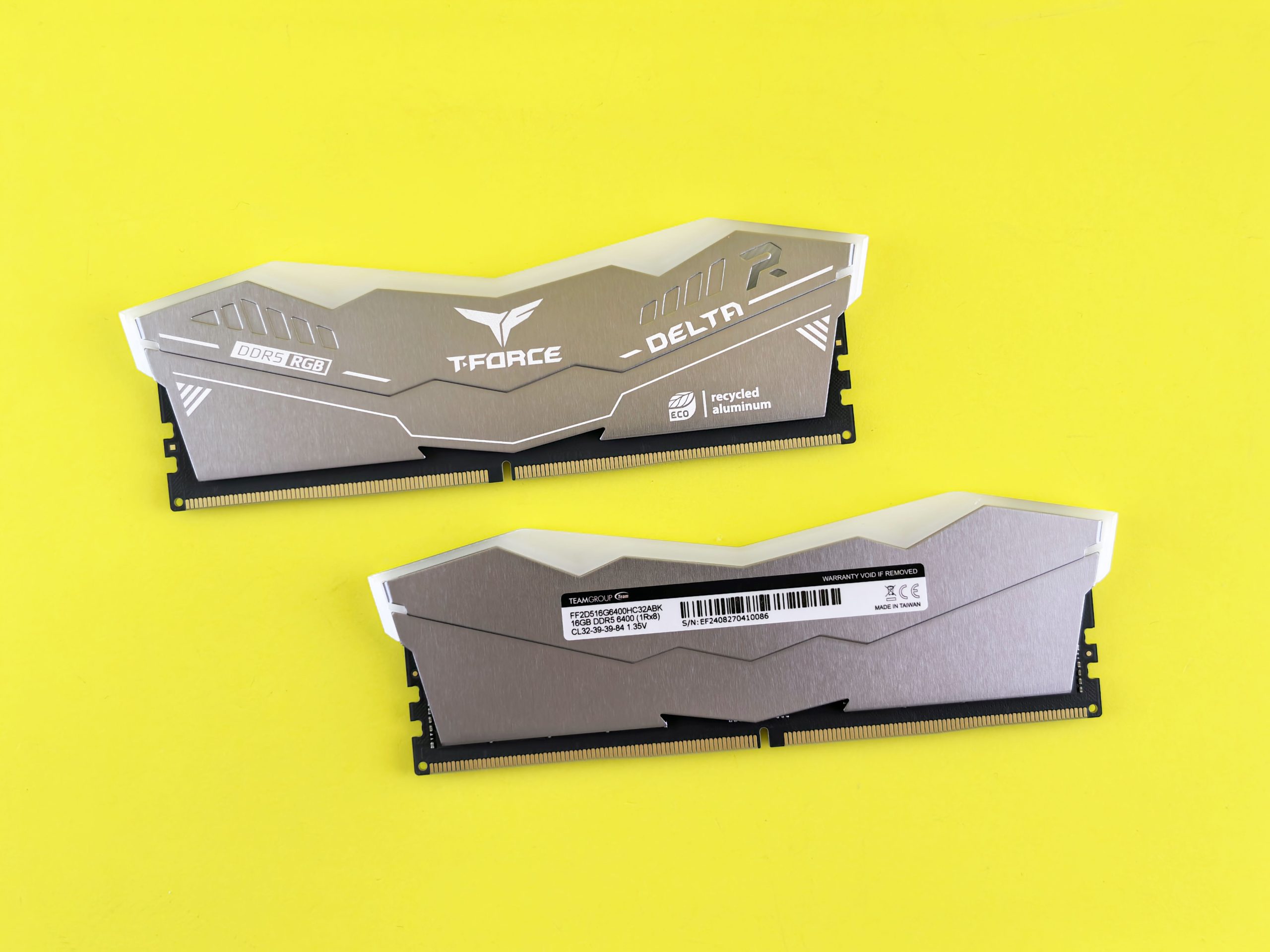
For most of the last decade, 16GB of RAM was the settled answer for PC gamers. It was the sweet spot: enough for any game on the market, cheap enough not to eat into your GPU budget, and rarely something you had to think about again once it was installed. In 2026, that certainty has cracked. Walk into any hardware forum and you’ll find one camp insisting 16GB is still all you need, and another insisting anything less than 32GB is asking for stutters. Both camps have benchmarks to back them up, which is exactly why the debate refuses to die.
The truth, as usual, is more specific than either side wants it to be. It depends on your resolution, your GPU, what you leave running in the background, and which games you actually play. This article works through the real data, explains why the “average FPS” number that gets quoted everywhere is often the wrong thing to look at, and gives you a straight answer for your own situation.
The Short Version
If you had to walk away with one sentence: 16GB is still enough to run almost any game, but 32GB is the more comfortable and future-proof choice for anyone building a new mid-range or high-end PC in 2026. The gap in raw average frame rate between the two is usually small — often under 5%. The gap that actually matters, and the one that’s easy to miss if you only glance at a benchmark chart, shows up in frame-time consistency and how your system behaves the moment you’re not just running a single game with nothing else open.
What the Benchmarks Actually Show
Recent 2026 testing across popular titles — Call of Duty: Black Ops 7, Cyberpunk 2077, Indiana Jones and the Great Circle, ARC Raiders, Fortnite, The Finals, and Atomfall/Expedition 33-style Unreal Engine titles — tells a fairly consistent story once you separate average FPS from the numbers that describe smoothness.
At 1080p, the average frame rate difference between a clean 16GB system and a 32GB system is usually tiny. In one round of testing, Call of Duty: Black Ops 7 Zombies averaged 149 fps on 16GB and 156 fps on 32GB, a difference of less than 5%, while Cyberpunk 2077 barely moved at all, going from 128 fps to 129 fps. At 1440p, the pattern holds: Call of Duty ran at 166 fps on 16GB and 177 fps on 32GB, again under 10% apart, while Cyberpunk 2077 produced effectively identical results on both configurations.
Where the story changes is in the 1% and 0.1% lows — the metric that describes your worst moments, not your average ones. Multiple outlets found that even when average FPS barely shifted, the 1% and 0.1% lows improved noticeably with 32GB, making gameplay feel smoother even though the top-line number looked almost the same. One test of a stutter-prone title found 32GB delivered roughly 15 fps better 0.2% lows than 16GB, a gap the average FPS number completely hid. This is the crux of the whole debate: two systems can post nearly identical average frame rates on a chart while one of them feels distinctly less smooth to actually play, because it’s the dips that you notice, not the mean.
At 4K, the picture flips again. Most of the tested games showed almost no difference between 16GB and 32GB at 4K, with Indiana Jones the lone exception at just over 4 fps of improvement — and even then, its low frame rates were slightly worse on the 32GB kit. The reason is straightforward: at 4K, your GPU and its VRAM become the bottleneck long before system RAM does, so throwing more DRAM at the problem doesn’t move the needle much.
There’s also a hardware-level reason 16GB systems don’t collapse the way you might expect when they do run low on memory. When a system exhausts its RAM, it falls back on virtual memory from storage, and modern NVMe SSDs running around 7000MB/s handle that overflow far more gracefully than the mechanical or SATA drives of a few years ago. That’s part of why 16GB still limps along acceptably in situations that would have caused visible slowdown on older storage. It also means the RAM conversation is tangled up with your storage choice — a 16GB system on a fast Gen4/Gen5 NVMe drive tolerates memory pressure much better than the same 16GB paired with an older SATA SSD.
Where 32GB Actually Wins
The benchmark data above is mostly built around a “clean” test: one game running, nothing else open. That’s not how most people actually game. This is where the case for 32GB gets much stronger.
Independent testing that simulated a real-world setup — game running alongside Discord, a browser with a stack of tabs open, and streaming software — found a much larger gap. 32GB DDR5 kits produced up to 14% higher average frame rates than 16GB DDR5-4800 once background apps were running, and in CPU-sensitive titles like Monster Hunter Wilds, dual-rank 32GB configurations showed up to 10% better performance than a 2x8GB 16GB setup. The conclusion from that testing is blunt: 16GB is genuinely plenty for the game itself — it’s everything else running alongside it that creates the gap.
That “everything else” adds up faster than people expect. One breakdown of realistic memory usage in 2026 pointed out that a typical multitasking setup — Windows itself, a browser, Discord, and maybe a streaming or capture tool — can already consume 6–8GB before a game even launches, and a demanding AAA title can add another 8–10GB on top of that, putting a 16GB system right at its ceiling. Once you hit that ceiling, Windows starts paging data out to the SSD, and that paging is where the stutters and hitches come from — problems that feel like a GPU issue but are actually RAM pressure. The same source found that while average FPS differences between 16GB and 32GB are usually under 5%, 1% low frame times can be 30 to 65% worse on 16GB in memory-hungry, multitasking-heavy scenarios.
This is really the whole argument in one sentence: 32GB doesn’t usually make your game faster — it makes your whole system more resistant to the moments where it would otherwise choke. If you play with a browser and Discord open, stream to friends, or run capture software in the background, that resistance is worth a lot more in practice than a benchmark chart suggests.
Are Games Actually Asking for More RAM?
Yes, gradually. System requirements have crept upward, and a handful of newer titles are starting to push past what 16GB can comfortably handle. Broader 2026 testing across a wide swath of AAA titles found that most games still peak around 13–18GB of usage and run essentially the same on 16GB, 32GB, and 64GB systems — but a few newer titles have started to genuinely break past 16GB, with one recent release needing roughly 20GB for smooth frame times. That same analysis lands on 32GB as the 2026 sweet spot, describing 16GB as “the fraying floor” — still functional, but no longer comfortably ahead of what games ask for, and particularly risky if it’s paired with a GPU that only has 8GB of VRAM.
Modern engines are also part of the reason. Games built on newer versions of Unreal Engine and similar toolchains tend to stream in more texture and asset data on the fly, which raises the baseline memory footprint compared to games from three or four years ago. None of this means 16GB has suddenly become unusable — it hasn’t — but the margin between “enough” and “not quite enough” has visibly narrowed since 16GB first became the default recommendation.
The Money Question
Here’s the part that makes this decision easier than it looks: the price gap between 16GB and 32GB kits has shrunk to the point where it’s rarely a hard trade-off anymore. One 2026 cost breakdown put 32GB of DDR5-6000 at roughly $60–80 more than an equivalent 16GB kit of the same speed — on a build over $1,000, that’s less than 8% of the total budget for a real, tangible improvement in stutter resistance.
That said, budget builds are a genuine exception. If you’re assembling a tight $600 system where every extra dollar is better spent moving up a GPU tier, sticking with 16GB and putting that $70 toward the graphics card is still the right call — a stronger GPU will do more for your actual gaming experience than the extra memory will, at that price point.
Capacity Isn’t the Whole Story: Speed Matters Too
It’s worth flagging a trap that a lot of buyers fall into: treating “32GB” as an instant future-proofing win regardless of the kit’s speed and timings. On modern platforms — AMD’s Ryzen chips especially — memory speed and latency have a real effect on frame pacing, independent of raw capacity. Buying a large but slow 32GB kit “for the future” while ignoring its speed rating is a common and avoidable mistake; a fast, well-timed 16GB kit can outperform a sluggish 32GB one in latency-sensitive titles. Capacity and speed are two separate purchasing decisions, and it pays to get both right rather than assuming bigger numbers on the box always mean a better experience.
So, Who Should Buy Which?
Stick with 16GB if:
- You mainly play esports titles like Valorant, CS2, or League of Legends, where memory demands are modest.
- You game with nothing else running — no Discord, no browser, no capture software.
- You’re on a tight budget and would rather put the savings toward a better GPU.
- Your monitor tops out at 1080p on a mid-range GPU.
Move to 32GB if:
- You regularly multitask while gaming — Discord, streaming software, dozens of browser tabs.
- You’re building a new mid-range to high-end PC and want it to age well over the next several years.
- You play at 1440p or 4K on a capable GPU and want consistent frame pacing, not just a high average number.
- You’ve noticed stuttering or hitching that doesn’t match your GPU’s expected performance — a classic symptom of memory pressure.
- The price difference in your build is small relative to the total cost, which for most builds above roughly $800–1,000, it now is.
The Bottom Line
The 16GB vs 32GB debate persists because both sides are, in a narrow sense, correct. If you isolate a single game with nothing else running, 16GB holds its own against 32GB almost everywhere except in a handful of newer, heavier titles. But real gaming doesn’t happen in that isolated lab environment — it happens with a browser open, Discord running, maybe a stream going, and years of future games layered on top of whatever you buy today. In that more realistic picture, 32GB has quietly become the more sensible baseline for anyone building a serious gaming PC in 2026, not because it makes games run faster, but because it makes the whole experience less prone to the stutters that no amount of GPU horsepower can fix on its own.
If you’re already running 16GB and your games feel fine, there’s no urgent reason to upgrade. But if you’re speccing a new build, the extra cost of 32GB is small enough, and the downside protection large enough, that it’s hard to argue against it as the safer default.