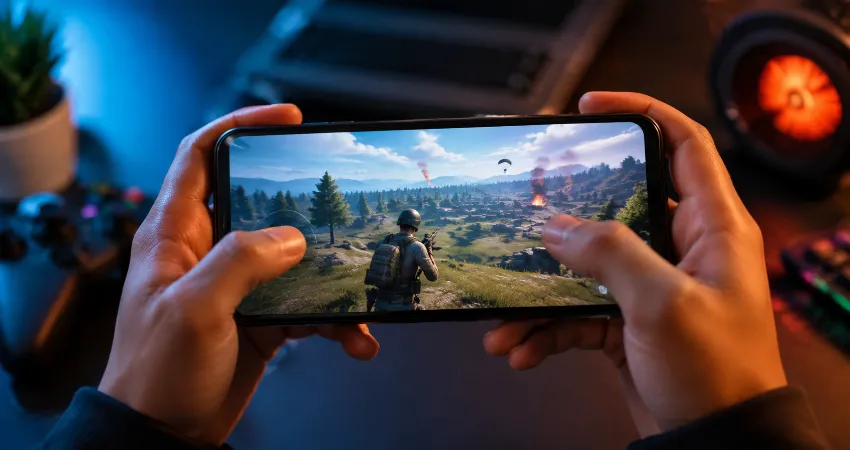
Many affordable Android phones now come with a feature called “Gaming Mode”, “Game Booster”, or “Game Space”. These names sound impressive and often create the expectation that a low-cost smartphone can suddenly become a powerful gaming device. But the reality is more complicated. Gaming Mode can improve the experience in some situations, but it cannot change the physical limits of a phone’s processor, graphics chip, cooling system, or memory.
After testing different budget Android devices over time, one thing becomes clear: Gaming Mode is mostly a software optimization tool, not a hardware upgrade. It can manage resources, reduce distractions, and adjust certain settings, but it cannot magically increase the capability of a weak chipset. Understanding what this feature actually does can help users make better decisions before buying a cheap Android phone for gaming.
Modern gaming features in smartphones are usually designed around improving resource management, notification control, and system optimization. Many gaming-focused interfaces include tools for adjusting performance, blocking interruptions, and managing background activities. :contentReference[oaicite:0]{index=0} However, the real gaming performance still depends heavily on the phone’s internal hardware.
What Is Gaming Mode On Android Phones?
Gaming Mode is a software feature built into many Android phones that tries to create a better gaming environment. When activated, it may prioritize the game currently running, close unnecessary background apps, improve touch response, block incoming notifications, and provide quick access to gaming tools.
Different smartphone brands use different names for this feature. Some call it Game Booster, Game Turbo, Game Space, or Ultra Game Mode. Although the names are different, the main purpose is similar: helping the phone dedicate more available resources to the game.
The important point is that Gaming Mode works mainly at the software level. It does not replace the processor, add extra RAM, improve the graphics chip, or install a better cooling system inside the phone.
What Gaming Mode Actually Does On Cheap Android Phones?
On budget smartphones, Gaming Mode can provide some noticeable improvements. The first benefit is memory management. Many cheap phones have limited RAM, so background applications can compete with games for resources. Gaming Mode may reduce this competition by limiting unnecessary background activity.
Another useful feature is notification control. During gaming sessions, constant messages, calls, or pop-ups can interrupt gameplay. A gaming mode can temporarily silence these interruptions and create a cleaner experience.
Some phones also adjust touch sensitivity, network priority, or screen settings when Gaming Mode is enabled. These small changes can make controls feel more responsive, especially in fast-paced games.
Can Gaming Mode Increase FPS On A Cheap Phone?
This is one of the biggest questions among budget smartphone users. The simple answer is: sometimes, but usually not dramatically.
Frames per second, commonly called FPS, depends mostly on the phone’s processor and GPU performance. If a phone has a weak entry-level chipset, Gaming Mode cannot transform it into a high-performance gaming machine.
In some cases, users may see slightly more stable gameplay because the system is reducing background tasks. Instead of increasing the maximum performance, Gaming Mode often helps the phone maintain its existing performance for a longer period.
For example, a phone that normally experiences random slowdowns because of background apps may feel smoother after enabling Gaming Mode. But a device that struggles because its processor is too weak will still have limitations.
The Biggest Myth About Gaming Mode
The biggest misunderstanding is believing that Gaming Mode upgrades the phone’s hardware. Many users assume that activating this option will unlock hidden power inside their device. In reality, smartphones do not contain secret performance levels waiting to be unlocked.
A budget phone with a basic processor, limited RAM, and simple cooling design will always have performance limitations. Gaming Mode can organize available resources more efficiently, but it cannot change the specifications of the device.
A useful comparison is a small car with a sport driving mode. The mode may improve acceleration response and adjust settings, but it does not turn the engine into a completely different machine.
Why Cheap Phones Struggle With Long Gaming Sessions?
One major problem with affordable Android phones is heat management. Gaming creates a heavy workload for the processor and graphics unit. As the internal temperature rises, many phones reduce performance to protect their components. This process is called thermal throttling.
Premium gaming phones often include advanced cooling solutions because maintaining performance over time is difficult. Better cooling helps powerful processors continue working efficiently during longer gaming sessions. :contentReference[oaicite:1]{index=1}
Cheap Android phones usually have simpler designs with smaller cooling systems. This means a game may run smoothly for the first few minutes but become slower after extended play.
Gaming Mode Features That Are Actually Useful
Although Gaming Mode is not a magic performance booster, some features are genuinely helpful. Notification blocking is one of the most practical options because it prevents accidental interruptions during important moments.
Performance monitoring tools can also help users understand how their phone behaves. Some gaming panels show temperature, battery usage, network status, and other information.
Screen recording, quick access shortcuts, and touch optimization features can improve convenience even if they do not increase raw performance.
How To Improve Gaming Performance On A Cheap Android Phone?
Users can often get better results by optimizing their phone before playing. Keeping enough free storage space is important because nearly full storage can affect overall system responsiveness.
Removing unnecessary background applications, updating the operating system, and lowering game graphics settings can create a smoother experience.
Using a stable internet connection is also important for online games. A powerful phone cannot solve problems caused by unstable network performance.
What Matters More Than Gaming Mode When Buying A Phone?
When choosing an Android phone for gaming, hardware specifications should receive more attention than marketing features. The processor, GPU, RAM amount, display refresh rate, battery capacity, and heat management system have a much greater impact on gaming quality.
A phone with a balanced chipset and good cooling will usually provide a better experience than a cheaper device with an attractive Gaming Mode label.
Modern affordable processors have improved significantly, and some newer budget chips provide better gaming capability than previous generations. However, users should still evaluate the complete hardware package rather than relying on one software feature. :contentReference[oaicite:2]{index=2}
FAQs About Gaming Mode On Cheap Android Phones
1. Does Gaming Mode make a cheap Android phone faster?
Gaming Mode can make a phone feel faster by managing resources, reducing background activity, and prioritizing the active game. However, it does not increase the actual power of the processor or graphics chip. The improvement depends on the condition of the phone and the type of game being played.
2. Can Gaming Mode remove lag completely?
No, Gaming Mode cannot remove all lag. Lag can happen because of weak hardware, overheating, poor internet connection, or demanding game settings. Gaming Mode may reduce some software-related slowdowns but cannot solve hardware limitations.
3. Should I always keep Gaming Mode enabled?
It depends on your usage. If you frequently play games, keeping it enabled during gaming sessions can be helpful. For normal daily use, leaving it disabled may save some battery because additional optimization features are not constantly running.
4. Does Gaming Mode damage the phone battery?
Gaming Mode itself usually does not damage the battery. However, longer gaming sessions increase processor activity, heat generation, and battery usage. High temperatures over long periods can affect battery health, so keeping the device cool is important.
5. Why does my phone still slow down with Gaming Mode?
Your phone may slow down because the hardware cannot handle the game requirements. Gaming Mode can optimize existing resources, but it cannot provide additional processing power. Lowering graphics settings and closing unnecessary apps may help.
6. Is Gaming Mode only available on expensive phones?
No. Many affordable Android phones now include some type of gaming optimization feature. Manufacturers add these tools to improve the user experience, even on entry-level devices.
7. Does more RAM always mean better gaming?
More RAM can help with multitasking, but gaming performance depends on several factors. The processor, GPU, software optimization, and cooling system are equally important. A phone with more RAM but a weak processor may still struggle.
8. Can Gaming Mode improve online game connection?
Some Gaming Modes include network optimization features that may prioritize game traffic. However, they cannot fix problems caused by weak mobile signals, router issues, or unstable internet service.
9. Should I buy a phone only because it has Gaming Mode?
No. Gaming Mode should be considered an additional feature, not the main reason to buy a smartphone. Always check the processor, display quality, battery, storage, and overall performance before making a decision.
10. What is the most important feature for gaming on a budget phone?
The processor and GPU are usually the most important factors because they directly affect game performance. A balanced combination of chipset, RAM, cooling, and battery will provide a better experience than a phone that only advertises a Gaming Mode feature.
Conclusion
Gaming Mode on cheap Android phones is useful, but it is often misunderstood. It can improve stability, reduce interruptions, and manage resources more effectively, but it cannot turn basic hardware into high-end gaming equipment.
The best gaming experience comes from a balanced smartphone with capable hardware and good optimization. Gaming Mode is a helpful tool, but understanding its real purpose allows users to have realistic expectations and make smarter technology choices.